Integration planning
Map systems, fields, triggers and required outcomes.
Connect WordPress with CRM platforms, APIs, webhooks, forms and other business systems.
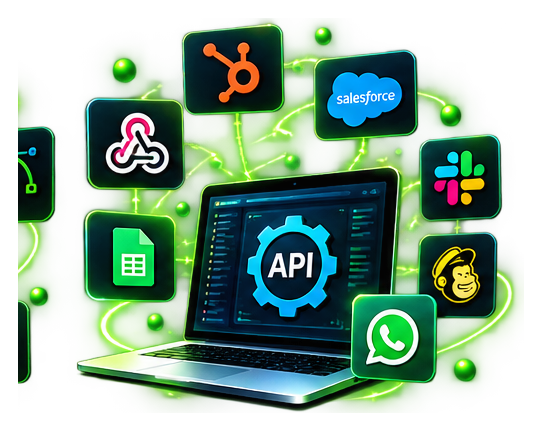
Your website should work alongside your existing systems. I connect enquiry forms, CRM pipelines, booking tools and other platforms through APIs, webhooks and tested integrations.
Focused deliverables, designed around your business goals.
Map systems, fields, triggers and required outcomes.
Connect supported systems through authenticated requests.
Route enquiries and synchronise agreed lead information.
Validate data, handle errors and check workflows.
Often yes, if your CRM offers a suitable API, webhook or connector.
Usually the account owner must authorise a connection or supply appropriate credentials securely.
Yes, where the form and CRM support the necessary integration.
I start by understanding your requirements, then plan, build, test and refine the solution before launch or handover.
WordPress API & CRM integration can reduce manual work caused by disconnected forms and software. I help connect websites with CRM systems, lead pipelines, scheduling tools and other applications using supported APIs and webhooks. The first step is identifying which information needs to move, where it belongs and what should happen when something fails.
A typical integration may take a website enquiry, validate required fields and create or update a record in a CRM. Field mapping, duplicate handling, authentication and error reporting are important considerations. I test both successful submissions and common exceptions before handover.
Integrations should be understandable after launch. I document key steps and dependencies so changes to forms, fields or connected services can be managed without guesswork. When a process needs additional steps, workflow automation may be a better fit.
Every WordPress API integration starts with a map of the information moving between platforms. I confirm the source fields, destination fields, authentication method and what should happen when a customer submits a form twice. This planning reduces mismatched records and makes the integration easier to support.
For CRM integration projects, I can connect contact forms with lead pipelines, assign lead sources, trigger appropriate notifications and record important workflow outcomes. Where an external API imposes rate limits or temporarily becomes unavailable, the workflow should handle those conditions rather than silently losing enquiries.
Before handover, I test field validation, duplicate records, missing information and the relevant permission settings. I also document where credentials are configured, which system owns each field and how future changes to the form or CRM may affect the connection.
Let's discuss your ideas and create a website that helps your business grow.